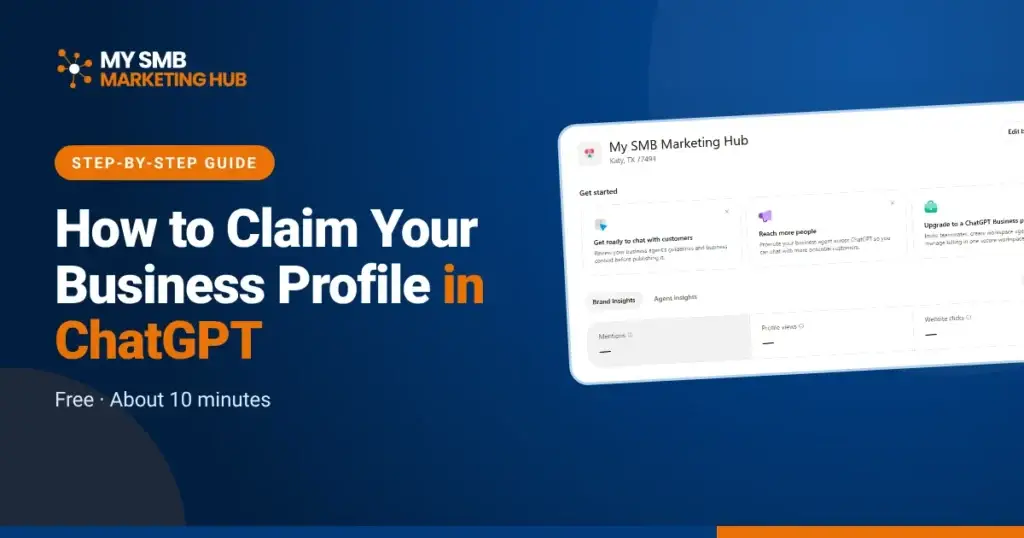
You can now claim your business in ChatGPT, for free, in about 10 minutes. On November 10, 2026, OpenAI opened Business Hub, a place where owners claim their business profile, correct the details ChatGPT uses, and see how often ChatGPT mentions them.
Here’s why that matters for a local business: your customers are already asking ChatGPT things like “What’s a good family restaurant near me?” ChatGPT can show a listing for your business whether you claim it or not. Claiming it is how you make sure the details are yours.
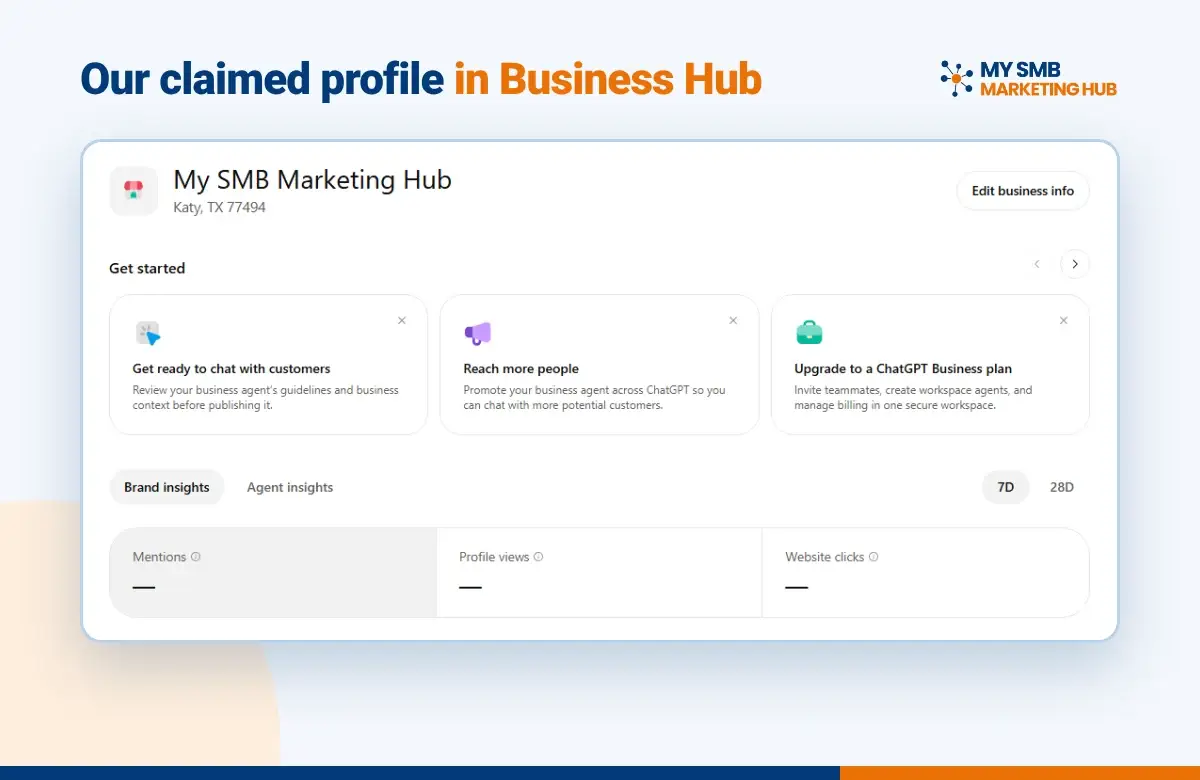
We just claimed our own profile for My SMB Marketing Hub, and we’re encouraging every business we work with to claim theirs. Below is the exact process, step by step.
What Is ChatGPT Business Hub?
Business Hub is OpenAI’s version of a Google Business Profile, built for ChatGPT answers instead of Google Search and Maps. It’s part of a beta program called Businesses in ChatGPT.
Once your claim is approved and verified, you get:
- A business profile that people can open when your business shows up in an answer, with a blue verified check after identity approval
- Control of your details: website, description, category, logo, cover photo and policies
- Insights for the past 28 days: mentions, website clicks and the discovery topics your business came up for
- Team access, so you can add teammates or give your marketing agency access
It costs nothing to claim. Ads and Business Agents (a ChatGPT chat assistant for eligible US online businesses) are separate, and neither is required.
Before You Start: What You’ll Need
Have these ready and the whole process goes quickly:
- A ChatGPT account for the person who will manage the profile (a free account works). Use a business email if you can, since this account becomes the admin.
- Access to one verification method: the business phone number (to get a text or call), the business email inbox, your website’s DNS settings, or your Shopify store login.
- A government-issued ID for the identity check, plus your business registration or tax info if asked.
- Your correct business details, matching your Google Business Profile exactly: name, address, phone, website, hours and description.
One note for local businesses: local businesses like stores and restaurants can only claim a US listing that already exists. If you have several locations, each one is claimed separately.
How to Claim Your Business in ChatGPT, Step by Step
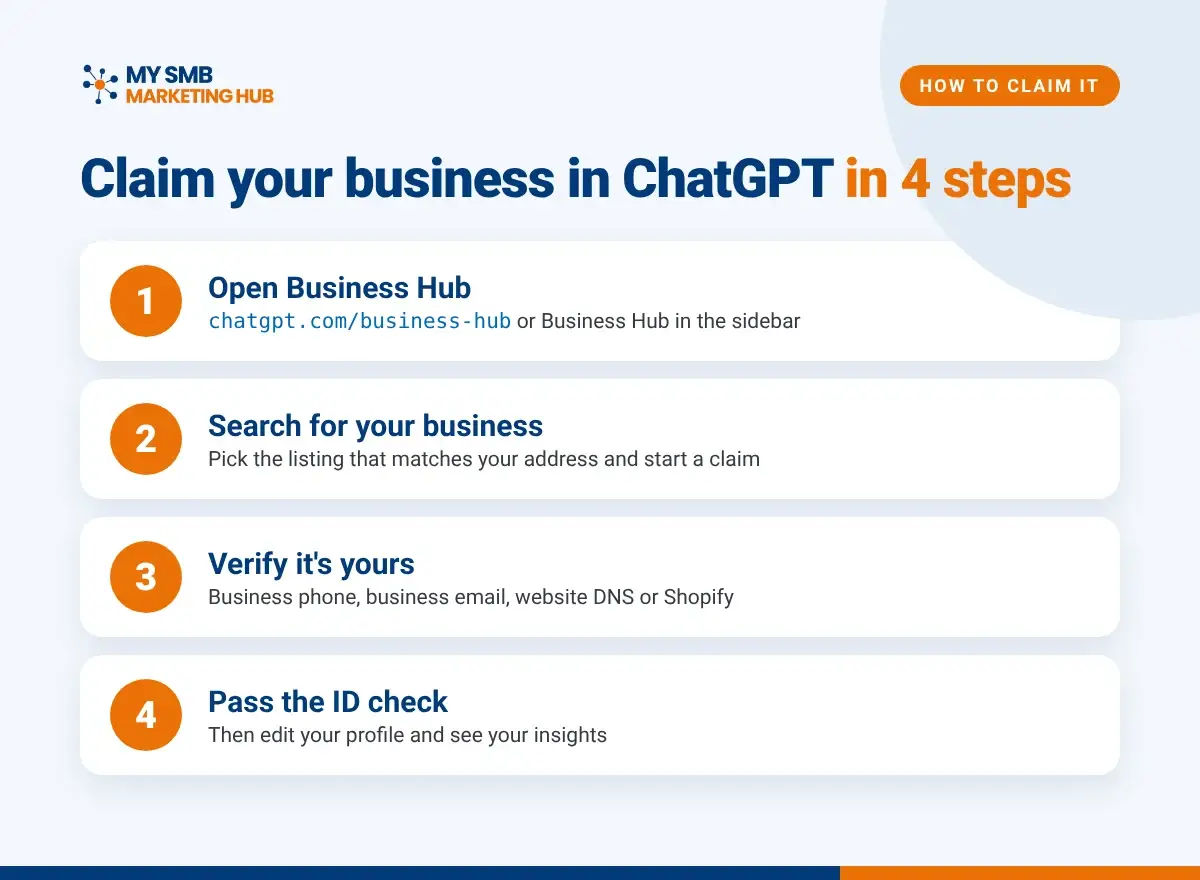
- Open Business Hub. Sign in to ChatGPT and select Business Hub in the sidebar, or go straight to chatgpt.com/business-hub.
- Search for your business. Type your business name and pick the listing that matches your address. If you see more than one, choose the one with your correct location.
- Start your claim. Confirm the ChatGPT account that will manage the profile. That account becomes the admin, so make sure it’s the right one.
- Verify that you own the business. Pick one method and follow the prompts: business phone (get a code by text or automated call), business email (enter the code sent to your inbox), website domain (add the TXT record ChatGPT gives you to your DNS settings exactly as shown, then select Verify domain), or Shopify (connect and log in to the store you’re claiming). DNS changes can take a little while to show up.
- Wait for OpenAI’s review. OpenAI reviews the claim and emails you a decision or asks for more information. Ours was approved the same day.
- Complete the identity check. ChatGPT uses a service called Persona to confirm who you are. You may need a government-issued ID, business registration info and proof that you’re authorized. You need this step to edit your profile, view insights or get the blue check. If you skip it, you can finish it later from your profile’s Overview.
- Update your business info. Select Edit business info and fill in your website, description, category, logo, cover photo and policies. Match your Google Business Profile word for word wherever you can. OpenAI reviews changes, so they can take some time to appear.
- Add your team. As the admin, you can invite teammates or give your marketing agency access. Each person signs in with their own ChatGPT account.
Tip: if your listing shows as locked, or you can’t find it at all, use the Contact support option in Business Hub.
After You’re Approved: Reading Your Insights
Your profile’s Overview shows Brand insights for the last 7 or 28 days:
- Mentions: how often ChatGPT showed your business. For a local business, a result has to show that location to count.
- Profile views: how often people opened your ChatGPT profile.
- Website clicks: how often people clicked through to your website.
- Discovery topics: the general themes of answers that mentioned your business. You won’t see individual questions or conversations.
Don’t panic if the numbers are blank at first. A new profile needs time to collect enough activity, and a blank metric doesn’t always mean zero.
Keep Your Details the Same Everywhere
Claiming your profile doesn’t guarantee ChatGPT will recommend you more often. ChatGPT still pulls from other sources across the web, like your website, Google Business Profile, Yelp and Bing Places.
That’s why consistency matters. When your name, address, phone, hours and services match everywhere, AI tools have one clear story to tell about you. Your ChatGPT profile is one more place to keep in sync, not a replacement for your Google Business Profile or your website.
Frequently Asked Questions
Is it free to claim my business in ChatGPT?
Yes. Claiming your profile is free, and no ad account or ChatGPT Enterprise plan is required.
How long does it take?
The claim itself takes about 10 minutes. OpenAI’s review can take longer, and DNS verification may need extra time.
Will claiming my profile make ChatGPT recommend me more?
No, there’s no guarantee. Claiming gives you control of your details and a view into your mentions. ChatGPT’s answers stay independent, and ads don’t change them.
Can my marketing agency manage my ChatGPT profile?
Yes. The admin who claimed the business can give an agency access from Business Hub, and each person uses their own ChatGPT account.
I have more than one location. Do I claim each one?
Yes. Each location and each brand is claimed and managed separately.
What if someone else already claimed my business?
Contact support from Business Hub. It’s the best reason to claim yours early.
Not Sure Your Listing Is Right?
Claiming your ChatGPT profile is one of the easiest wins in AI search right now. But it only helps if your details are right and match what customers see on Google, your website and your directory listings. If you’re not sure how your business shows up, ask us to take a look.
Source: OpenAI Help Center, Setting up your business on ChatGPT.